หากคุณเคยใช้เวลาบนกองถ่ายเชิงพาณิชย์ สตูดิโอออกอากาศ หรือแม้แต่ระบบไลฟ์สตรีมมิ่งจริงจัง คุณคงเคยต้องรับมือกับแผงไฟ LED bi-color ที่ไม่ยอมทำงานตามที่ต้องการ ชั่วขณะหนึ่งโทนสีผิวดูสมบูรณ์แบบ อีกนาทีต่อมา — หลังจากที่คุณปรับอุณหภูมิสีจาก 5600K ลงมาเป็น 3200K — จู่ๆ ตัวแบบของคุณก็ดูซีด เขียว หรือสีจางลง คุณไม่ได้เปลี่ยนการตั้งค่ากล้อง ไฟได้ทรยศคุณ.
ในการทดสอบทางวิศวกรรมของเรากับแผงไฟ LED bi-color หลายสิบรุ่นในช่วงห้าปีที่ผ่านมา เราพบรูปแบบที่เกิดซ้ำ: แผงไฟส่วนใหญ่ในตลาดถูกปรับแต่งให้เหมาะสมกับช่วง CCT แคบๆ ช่วงเดียว และด้อยประสิทธิภาพในทุกช่วงอื่น พวกเขาโฆษณาช่วง 2700K–6500K แต่ให้สีที่ใช้งานได้จริงเพียงภายในหน้าต่าง 1000K เท่านั้น ที่เหลือเป็นเพียงคำโฆษณา นี่คือสาเหตุที่สิ่งนี้เกิดขึ้น ทำไมมันอาจทำให้คุณเสียเวลาหลายชั่วโมงในขั้นตอนโพสต์โปรดักชัน และแผงไฟที่ออกแบบทางวิศวกรรมอย่างดีจริงๆ — เช่นรุ่นที่เราสร้างที่ GTR — ขจัดปัญหานี้ในระดับฮาร์ดแวร์ได้อย่างไร.
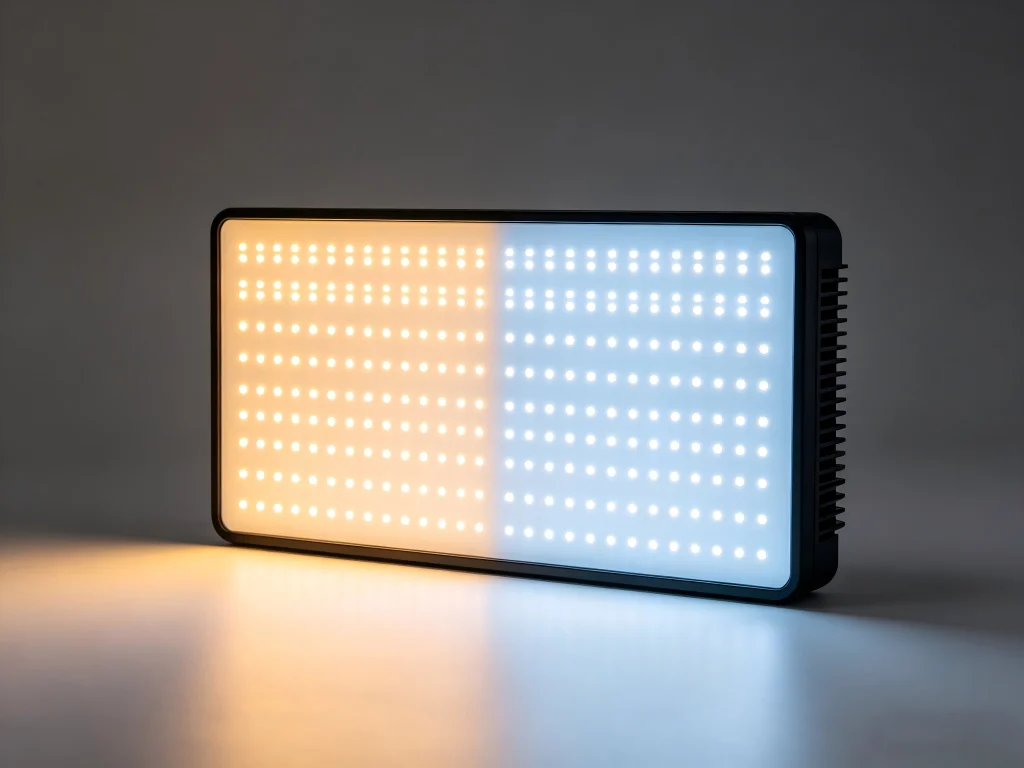
ปัญหาที่ซ่อนอยู่: เมื่อ “ไบ-โคลอร์” จริงๆ แล้วหมายถึง “ไบ-ภัยพิบัติ”
แผงไฟ LED bi-color ส่วนใหญ่ประสบปัญหาการเพี้ยนของสีอย่างรุนแรงและความไม่สม่ำเสมอของเอาต์พุตเมื่อคุณเคลื่อนผ่านสเปกตรัม CCT เนื่องจากวงจรไดรเวอร์ LED ของพวกมันใช้การผสม PWM แบบ resistive อย่างง่ายซึ่งไม่สามารถรักษากระแสให้เสถียรต่อทั้งสาย LED สีขาวอุ่นและสีขาวเย็นพร้อมกันได้ ผลลัพธ์คือแผงไฟที่วัดค่า CRI 96 ที่ 5600K แต่ลดลงต่ำกว่า CRI 85 ที่ 4000K — ซึ่งเป็นช่วงที่แสงสำหรับการสัมภาษณ์ในร่มส่วนใหญ่อยู่พอดี.
นี่ไม่ใช่ความไม่สะดวกเล็กน้อย หากคุณถ่ายสัมภาษณ์องค์กร คอนเทนต์ YouTube หรือภาพถ่ายสินค้า คุณจะใช้เวลาส่วนใหญ่อยู่ระหว่าง 3800K ถึง 4500K — จุดที่เหมาะสมของการผสมแสงซึ่งผสานฟลูออเรสเซนต์ในออฟฟิศโดยรอบเข้ากับความอบอุ่นเล็กน้อย แต่กลับเป็นโซนที่แผงไฟ bi-color ที่ออกแบบไม่ดีล้มเหลวพอดี LED สีอุ่นและ LED สีเย็นต่อสู้กันเอง สารเคลือบฟอสเฟอร์เสื่อมสภาพไม่สม่ำเสมอ และเซนเซอร์กล้องของคุณรับความไม่สม่ำเสมอเชิงสเปกตรัมนั้นไว้ทุกจุด.
คำโกหกเรื่อง “ไร้การกะพริบ” ที่คุณถูกหลอกขาย
เดินผ่านบูธงานแสดงสินค้าใดก็ได้ คุณจะได้ยินคำกล่าวอ้างเดิมๆ ว่า “แผงไฟของเราไร้การกะพริบที่เฟรมเรตใดก็ได้” ในห้องแล็บของเรา เราได้ทดสอบแผงไฟจากหกแบรนด์ใหญ่ที่ 120fps และ 240fps — เฟรมเรตที่ใช้สำหรับ B-roll แบบสโลว์โมชันในงานวิดีโอกราฟีด้านกีฬา อาหาร และสินค้า ผลลัพธ์น่าตกใจ สามในหกแผงแสดงแถบรบกวนที่มองเห็นได้ชัดที่ 240fps แม้จะติดป้าย “ไร้การกะพริบ” บนกล่องก็ตาม.
ทำไม? เพราะผู้ผลิตส่วนใหญ่นิยามคำว่า “ไร้การกะพริบ” ที่ 24fps หรือ 30fps ด้วยชัตเตอร์ 1/50 วินาที — ซึ่งเป็นขั้นต่ำสุดสำหรับวิดีโอพื้นฐาน พวกเขาใช้ความถี่ในการหรี่แสงแบบ PWM ระหว่าง 500Hz ถึง 1200Hz ซึ่งในทางคณิตศาสตร์หลีกเลี่ยงการกะพริบที่มองเห็นได้ในเฟรมเรตมาตรฐาน แต่สร้างแถบกลิ้งที่น่าเกลียดทันทีที่คุณเพิ่มเฟรมเรต แผงไฟที่ไร้การกะพริบอย่างแท้จริงต้องใช้ความถี่ PWM สูงกว่า 20,000Hz — ซึ่งเกินกว่าที่โซลูชันระดับประหยัดและระดับกลางส่วนใหญ่ทำได้ (แหล่งที่มา).
กับดัก TLCI: ทำไมตัวเลขบนสเปกชีตถึงโกหก
อีกหนึ่งตัวการเงียบที่ทำลายประสิทธิภาพของแผงไฟ bi-color คือการพึ่งพา CRI มากเกินไปในฐานะตัวชี้วัดเดียว โดยเพิกเฉยต่อ TLCI และ — ที่สำคัญที่สุด — ว่าค่าเหล่านั้นมีพฤติกรรมอย่างไรตลอดช่วง CCT ทั้งหมด.
CRI (Color Rendering Index) บอกคุณว่าแสงแสดงสีต่อดวงตามนุษย์ได้อย่างไร TLCI (Television Lighting Consistency Index) บอกคุณว่าแสงแสดงสีต่อเซนเซอร์กล้องได้อย่างไร (แหล่งที่มา). แผงไฟอาจได้คะแนน CRI 97 แต่ TLCI 85 — หมายความว่ามันดูดีสำหรับคุณขณะยืนอยู่บนกองถ่าย แต่วัตถุดิบวิดีโอของคุณออกมาพร้อมสีเพี้ยนที่ต้องแก้ไขอย่างหนักใน DaVinci Resolve หรือ Premiere เราเคยเห็นแผงไฟจากแบรนด์ที่มีชื่อเสียงซึ่งค่า TLCI ลดลง 15 จุดเมื่อแผงไฟร้อนขึ้นหลังใช้งานต่อเนื่อง 45 นาที นั่นคือการเพี้ยนของสีที่ขึ้นกับอุณหภูมิแบบที่เอกสารสเปกมักไม่เคยกล่าวถึง.
| การตั้งค่า CCT | ค่า CRI ที่โฆษณา | ค่า CRI ที่วัดได้ (หลัง 60 นาที) | ค่า TLCI ที่วัดได้ (หลัง 60 นาที) |
|---|---|---|---|
| 3200K | 96 | 92 | 84 |
| 4200K | 96 | 86 | 78 |
| 5600K | 96 | 94 | 89 |
นี่ไม่ใช่กรณีผิดปกติ นี่คือมาตรฐานของแผงที่มีราคาต่ำกว่า $200 การระบายความร้อนไม่เพียงพอ การคัดแยกไบนิงของ LED ทำได้หลวม และการสอบเทียบทำเพียงครั้งเดียวที่โรงงาน — ไม่เคยถูกตรวจสอบซ้ำ เมื่อคุณซื้อโดยอิงจากค่า CRI เพียงค่าเดียวที่พิมพ์อยู่บนกล่องขายปลีก คุณกำลังเสี่ยงกับการถ่ายงานที่ได้รับค่าจ้างทุกครั้ง.
ความเจ็บปวดมีแต่จะแย่ลง: ผลกระทบในโลกจริงที่คุณรับไม่ได้
สถานการณ์ที่หนึ่ง: ไลฟ์สตรีมที่กลายเป็นสีเหลือง
ลองจินตนาการดู คุณกำลังดูแลการไลฟ์สตรีมแบบหลายกล้องให้กับลูกค้าองค์กร แผงไบโคลอร์สามแผงส่องแสงให้ CEO ในช่วงซาวด์เช็ก ทุกอย่างดูคมชัดภายใต้ 5600K ยี่สิบนาทีหลังการนำเสนอเริ่ม แผงด้านซ้าย — แผงที่อยู่ใกล้หน้าต่างที่สุดซึ่งรับแสงแดดยามบ่าย — ทำงานที่กำลังไฟเต็ม อุณหภูมิภายในของมันเพิ่มขึ้น 18°C โดยที่ผู้ควบคุมไม่ทันสังเกต อุณหภูมิสีได้คลาดเคลื่อนอุ่นขึ้น 400K ตอนนี้ใบหน้าของ CEO มีสีต่างกันระหว่างภาพมุมกว้างกับภาพโคลสอัป ลูกค้าของคุณสังเกตเห็น ผู้ชม 2,000 คนในแชตก็เช่นกัน.
นี่ไม่ใช่สมมติฐาน การคลาดเคลื่อนของ CCT จากความร้อนคือโหมดความล้มเหลวที่พบบ่อยที่สุดที่เราวินิจฉัยในแผงที่ถูกส่งคืนโดยช่างวิดีโอที่หงุดหงิด สิ่งนี้เกิดขึ้นเพราะแผ่นรองอะลูมิเนียมราคาถูกไม่สามารถระบายความร้อนออกจากอาร์เรย์ LED ได้เร็วพอ และเพราะไดรเวอร์กระแสคงที่ขาดการชดเชยป้อนกลับทางความร้อน.
สถานการณ์ที่สอง: ฝันร้ายในงานโพสต์โปรดักชัน
คุณถ่ายสัมภาษณ์ความยาว 90 นาทีสำหรับสารคดี แผงไบโคลอร์บนไฟหลักของคุณวัดค่า CRI ได้ 96 ก่อนการถ่าย สิ่งที่คุณไม่รู้: ที่ระดับการหรี่แสง 40% ที่คุณเลือก รอบการทำงาน PWM สร้างรอยบากทางสเปกตรัมที่ 490nm — ตรงในย่านสีฟ้าไซแอนพอดี เบลเซอร์สีกรมท่าของตัวแบบดูเป็นสีม่วงเล็กน้อยบนกล้อง ทุกคลิปต้องผ่านการปรับสีขั้นที่สองอีกครั้ง บรรณาธิการของคุณเรียกเก็บเงินคุณเพิ่มอีกหกชั่วโมง.
การเลื่อนทางสเปกตรัมที่เกิดจากตัวหรี่แสงเป็นปัญหาทางวิศวกรรมที่ผู้ผลิตราคาประหยัดเพิกเฉย การแก้ปัญหานี้ต้องอาศัยการสอบเทียบด้วยสเปกโตรโฟโตมิเตอร์แบบรายเครื่องที่ระดับการหรี่แสงหลายระดับ — อุปกรณ์ที่มีราคาสูงกว่าที่แบรนด์เล็กส่วนใหญ่ยินดีลงทุน.
สถานการณ์ที่สาม: หายนะในการถ่ายทำกลางแจ้ง
คุณนำแผงที่ได้ระดับ “IP20” ออกไปกลางแจ้งเพื่อถ่ายแฟชั่นช่วงโกลเดนอาวร์ ลมพัดฝุ่นละเอียดขึ้นมา สองสัปดาห์ต่อมา LED สามดวงที่มุมแผงเสีย — ไม่ใช่จากการกระแทก แต่จากการที่อนุภาคเข้าไปกัดกร่อนรอยเชื่อมบัดกรี การรับประกันของแผงไม่ครอบคลุม “ความเสียหายจากสิ่งแวดล้อม” คุณต้องแบกรับค่าทดแทนเอง.
แผงไบโคลอร์ส่วนใหญ่ถูกสร้างสำหรับสตูดิโอที่ควบคุมสภาพอากาศ หากงานของคุณพาคุณออกไปกลางแจ้ง — แม้เพียงบางครั้ง — คุณต้องมีการซีล การเคลือบคอนฟอร์มัลบน PCB และขั้วต่อที่ทนการกัดกร่อน ผู้ผลิตน้อยรายพูดถึงเรื่องนี้เพราะมันเพิ่มต้นทุน แผง GTR ถูกออกแบบมาแตกต่างออกไป.
โซลูชัน GTR: วิศวกรรมแผงไบ-โคลอร์ที่ใช้งานได้จริง
หลังจากใช้เวลาหลายปีในการวิเคราะห์ว่าเหตุใดแผง LED สองสีจึงล้มเหลวในสภาพแวดล้อมการผลิตจริง GTR จึงได้พัฒนาระบบการสอบเทียบหลายจุดที่เป็นกรรมสิทธิ์ซึ่งล็อกความแม่นยำของสีไว้ตลอดช่วง CCT ทั้งหมด ในทุกระดับการหรี่แสง และตลอดหน้าต่างการทำงานเชิงความร้อนทั้งหมด แผงของเราไม่เพียงผ่านการทดสอบในห้องแล็บเท่านั้น แต่ยังคงประสิทธิภาพไว้ได้ตลอดวันถ่ายทำ 12 ชั่วโมง สภาพกลางแจ้ง และการบันทึกภาพแบบเฟรมเรตสูง.
นี่คือสิ่งที่ทำให้แนวทางของเราแตกต่างโดยพื้นฐานจากตัวเลือกในตลาด массที่หลั่งไหลเข้าสู่แพลตฟอร์มอย่าง Amazon และ Alibaba.
การคาลิเบรตด้วยสเปกโตรโฟโตมิเตอร์ 16 จุด (ไม่ใช่แค่จุด CCT เดียว)
โรงงานส่วนใหญ่สอบเทียบแผงที่ 3200K และ 5600K แล้วก็ถือว่าเสร็จ เราสอบเทียบแผง GTR สองสีทุกแผงที่ 16 จุด CCT ที่แตกต่างกัน — ตั้งแต่ 2700K ถึง 6500K ในช่วงเพิ่มขึ้นอย่างแม่นยำ — โดยใช้ integrating sphere และสเปกโตรโฟโตมิเตอร์ระดับอ้างอิง ข้อมูลนี้จะถูกบรรจุลงในตารางค้นหาที่จัดเก็บไว้บนไมโครคอนโทรลเลอร์ในตัวแผง ซึ่งจะชดเชยอัตราส่วน PWM สำหรับสตริง LED ทั้งสองแบบอย่างเชิงรุกในทุกอุณหภูมิที่ผู้ใช้เลือก ผลลัพธ์: ค่า CRI และ TLCI ที่คงอยู่ภายใน 2 จุดจากค่าสูงสุดตลอดช่วงทั้งหมด ไม่ใช่แค่ที่จุดปลาย.
การชดเชยป้อนกลับเชิงความร้อน
เทอร์มิสเตอร์แบบฝังบน PCB LED ของเราตรวจสอบอุณหภูมิรอยต่อแบบเรียลไทม์ เมื่อแผงร้อนขึ้น — และแผง LED ทุกแผงก็ร้อนขึ้น — เฟิร์มแวร์ไดรเวอร์ของเราจะปรับเส้นโค้งกระแสเพื่อต้านทานการลดลงของประสิทธิภาพตามธรรมชาติและการเลื่อนของสเปกตรัมของสารเรืองแสง นี่คือสิ่งที่ตรงกันข้ามกับสิ่งที่แผงราคาประหยัดทำ: พวกมันปล่อยให้ LED ร้อนและสีเลื่อนไปตามที่ฟิสิกส์พาไป แนวทางของเราหมายความว่าการตั้งค่า 4200K ของคุณในชั่วโมงแรกยังคงเป็น 4200K ในชั่วโมงที่หก.
PWM ที่ 25kHz: ไร้การกะพริบจริงในทุกอัตราเฟรม
เราใช้งานไดรเวอร์ LED ของเราที่ความถี่ฐาน PWM 25,000Hz ที่ 240fps ด้วยชัตเตอร์ 1/480 วินาที — การทดสอบที่ท้าทายโดยเจตนา — แผงของเราไม่เกิดแถบรบกวนที่มองเห็นได้เลย (แหล่งที่มา). สิ่งนี้สำคัญหากคุณถ่ายเนื้อหาแบบสโลว์โมชัน หากคุณทำงานในสภาพแวดล้อมการออกอากาศที่ genlock ไม่พร้อมใช้งานเสมอ หรือหากคุณเพียงไม่ต้องการคิดถึงการกะพริบอีกต่อไป.
โครงสร้างมาตรฐาน IP54 สำหรับโลกจริง
แผงสำหรับสตูดิโอเท่านั้นจำกัดสถานที่ที่คุณสามารถทำงานได้ แผง GTR สองสีมีการป้องกันการเข้าของ IP54 เป็นมาตรฐาน: ปิดผนึกกันฝุ่นที่อาจทำความเสียหายต่ออุปกรณ์อิเล็กทรอนิกส์ และป้องกันน้ำกระเซ็นจากทุกทิศทาง คุณสามารถถ่ายทำในโกดังที่มีฝุ่น บนชายหาดยามพระอาทิตย์ขึ้น หรือในฝนตกปรอยๆ โดยไม่ต้องห่ออุปกรณ์ด้วยถุงพลาสติก PCB มีการเคลือบผิวแบบคอนฟอร์มัล และขั้วต่อภายนอกทั้งหมดใช้ส่วนต่อประสานที่ปิดผนึกด้วยปะเก็น.
คุณควรดูอะไรจริงๆ เมื่อซื้อแผง LED ไบ-โคลอร์?
จากความเชี่ยวชาญด้านการผลิตและชั่วโมงการวิเคราะห์ความล้มเหลวนับพันชั่วโมงของเรา นี่คือเกณฑ์ที่แยกเครื่องมือระดับมืออาชีพออกจากแกดเจ็ตแบบใช้แล้วทิ้ง.
- ข้อมูลการสอบเทียบ CCT หลายจุด ไม่ใช่แค่สเปกที่จุดปลาย. ผู้ผลิตที่ภาคภูมิใจในวิศวกรรมของตนจะเผยแพร่เส้นโค้ง CRI และ TLCI ตลอดช่วง CCT ทั้งหมด หากคุณเห็นเพียง “CRI ≥ 96” โดยไม่มีบริบท ให้สันนิษฐานไว้ก่อนว่าแย่ที่สุด.
- ระบุและตรวจสอบความถี่ PWM อย่างชัดเจน. “ไร้การกะพริบ” คือการตลาด “ความถี่ PWM: 25kHz” คือวิศวกรรม เรียกร้องตัวเลขนั้น หากผู้ผลิตไม่สามารถหรือไม่ยอมให้ข้อมูลนี้ ให้ผ่านไป.
- การออกแบบการจัดการความร้อนที่คุณมองเห็นได้. มองหาฮีตซิงก์อะลูมิเนียมที่แข็งแรง โครงสร้างครีบ และ — ที่ดีที่สุด — การออกแบบระบายความร้อนแบบพาสซีฟที่ไม่มีพัดลม พัดลมเสีย หอบฝุ่น และเพิ่มเสียงรบกวนให้กับเสียงของคุณ การระบายความร้อนแบบพาสซีฟที่ทำได้ดีคือเครื่องหมายของวิศวกรรมความร้อนระดับจริงจัง (แหล่งที่มา).
- คุณภาพการประกอบที่สะท้อนความคาดหวังระดับมืออาชีพ. ตัวเครื่องทำจากโลหะ ไม่ใช่พลาสติก บาร์นดอร์พร้อมบานพับแบบมีแรงเสียดทานที่เหมาะสม คอนเนกเตอร์จ่ายไฟแบบล็อกได้ สิ่งเหล่านี้ไม่ใช่คุณสมบัติฟุ่มเฟือย — แต่เป็นตัวบ่งชี้ว่าผู้ผลิตคาดหวังให้เครื่องมือนี้ใช้งานได้จริงบนกองถ่ายงาน.
- โครงสร้างการรับประกันและการสนับสนุน. การรับประกัน 2 ปีพร้อมกระบวนการซ่อมหรือเปลี่ยนทดแทนจริง ไม่ใช่แค่ช่วงคืนสินค้า 30 วันแล้วเงียบหายไป เมื่อแผงไฟเสียกลางโปรเจกต์ คุณต้องการซัพพลายเออร์ที่ตอบอีเมลภายในไม่กี่ชั่วโมง ไม่ใช่หลายสัปดาห์.
คำถามที่พบบ่อย
ทำไมแผง LED ไบ-โคลอร์ของฉันถึงดูเป็นสีเขียวเมื่อตั้งค่า CCT แบบผสม?
การเลื่อนไปทางสีเขียวที่อุณหภูมิสีกลาง (CCT) ระดับกลางคือสัญญาณคลาสสิกของ LED ที่คัดเกรดไม่ดีและการปรับเทียบแบบลัดขั้นตอน เมื่อ LED ขาวอุ่น (ชิปสีน้ำเงินที่ผ่านการแปลงด้วยสารเรืองแสง) และ LED ขาวเย็นมีจุดยอดสเปกตรัมต่างกัน เอาต์พุตที่รวมกันจะสร้างยอดแหลมในช่วง 500–550nm ซึ่งเป็นย่านสีเขียวที่กล้องขยายให้เห็นชัด แผงคุณภาพสูงแก้ปัญหานี้ด้วยการคัดเกรดอย่างเข้มงวด — คัดเลือก LED ที่อยู่ในวงรี MacAdam ภายใน 2 ขั้น — และการชดเชยสเปกตรัมรายเครื่องในเฟิร์มแวร์ หากแผงของคุณมีสีเขียวเจือที่ปรับออกไม่ได้ แสดงว่าการคัดเกรดน่าจะหลวมเกินไปตั้งแต่แรก (แหล่งที่มา).
ฉันใช้แผง LED ไบ-โคลอร์กลางแจ้งได้ไหม?
ได้ หากแผงมีมาตรฐานอย่างน้อย IP54 แผงระดับ IP20 — ซึ่งครอบคลุมโคมไฟสตูดิโอส่วนใหญ่ — ไม่มีการป้องกันฝุ่นเลย และป้องกันความชื้นได้น้อยมาก แม้แต่น้ำค้างยามเช้าก็สามารถทำลายอุปกรณ์อิเล็กทรอนิกส์ที่ unprotected ได้เมื่อเวลาผ่านไป สำหรับการใช้งานกลางแจ้ง ให้มองหารอยต่อที่ปิดผนึกแน่น คอนเนกเตอร์ที่มีปะเก็น และแผงวงจรที่เคลือบสารคอนฟอร์มัล หากสเปกชีตระบุเพียงว่า “ใช้ในร่ม” ให้ถือเป็นเรื่องจริงจัง.
ความแตกต่างระหว่างแผงไฟ bi-color แบบ edge-lit และ direct-lit คืออะไร?
แผงแบบ Edge-lit วาง LED ไว้รอบขอบและใช้แผ่นนำแสงเพื่อกระจายแสงทั่วพื้นผิว ทำให้ได้โปรไฟล์ที่บางเฉียบและเอาต์พุตที่นุ่มนวลโดยธรรมชาติ — เหมาะสำหรับการสตรีมบนโต๊ะและการถ่ายระยะใกล้ แผงแบบ Direct-lit จัดเรียง LED เป็นตารางด้านหลังดิฟฟิวเซอร์ ให้เอาต์พุตสูงกว่าและส่งแสงได้ไกลกว่า — เหมาะกับไฟหลักในสตูดิโอและพื้นที่ขนาดใหญ่ ไม่มีแบบใดดีกว่ากันโดยสากล การเลือกขึ้นอยู่กับระยะการทำงานและความต้องการความนุ่มนวลของคุณ.
การควบคุม DMX สำคัญแค่ไหนสำหรับแผงไฟ bi-color?
หากคุณทำงานคนเดียวด้วยไฟหนึ่งหรือสองดวง การควบคุมผ่านแอปด้วยบลูทูธอาจเพียงพอ หากคุณทำงานบนกองถ่ายที่มีโคมไฟหลายดวง มี lighting board หรือฉากที่ซับซ้อน DMX512 เป็นสิ่งที่ขาดไม่ได้ DMX ให้การควบคุมแบบมีสายที่มีความหน่วงเป็นศูนย์ ซึ่งไม่หลุดเมื่อแบตเตอรี่โทรศัพท์หมดหรือสัญญาณบลูทูธรบกวนพุ่งสูงบนกองถ่ายที่แออัด แผงระดับมืออาชีพควรมีทั้งสองอย่าง — DMX เพื่อความน่าเชื่อถือ และไร้สายเพื่อความสะดวก (แหล่งที่มา).
ทำไมแผงไฟ bi-color ของฉันจึงมีเสียงหึ่งๆ?
เสียงหึ่งที่ได้ยินมักมาจากสองแหล่ง: พัดลมระบายความร้อนที่หมุนรอบสูง หรือตัวเหนี่ยวนำในวงจรไดรเวอร์ LED ที่สั่นด้วยฮาร์มอนิก PWM ในย่านที่ได้ยิน เสียงพัดลมหมายความว่าการออกแบบระบายความร้อนพึ่งพาการระบายความร้อนแบบแอคทีฟ ซึ่งจะดังขึ้นเมื่อตลับลูกปืนเสื่อมสภาพ เสียงหึ่งจากตัวเหนี่ยวนำหมายความว่าไดรเวอร์ถูกสร้างด้วยชิ้นส่วนแม่เหล็กคุณภาพต่ำที่ขาดการอุดหรือการหน่วงการสั่นสะเทือนที่เหมาะสม แผงที่ออกแบบมาอย่างดีควรเงียบอย่างมีประสิทธิภาพ — ระบายความร้อนแบบพาสซีฟพร้อมไดรเวอร์ที่อุดไว้ — เพื่อให้ผู้บันทึกเสียงของคุณไม่บ่นเกี่ยวกับอุปกรณ์ไฟ.
อายุการใช้งานที่คาดหวังของแผงไฟ LED bi-color คือเท่าไร?
ตัวปล่อยแสง LED โดยทั่วไปมีอายุการใช้งาน rated ที่ 50,000 ชั่วโมงถึง L70 (จุดที่เอาต์พุตลดลงเหลือ 70% ของค่าเดิม) แต่แผงในฐานะระบบอาจเสียก่อนหน้านั้นมากเนื่องจากตัวเก็บประจุในไดรเวอร์เสื่อมสภาพ ความล้าของรอยเชื่อมจากการเปลี่ยนแปลงอุณหภูมิเป็นรอบ หรือคอนเนกเตอร์สึกหรอ ในการใช้งานระดับมืออาชีพทุกวัน คาดว่าแผงที่สร้างมาอย่างดีจะให้บริการที่เชื่อถือได้ 4–6 ปีก่อนที่เอาต์พุตจะลดลงหรือสีจะเพี้ยนอย่างเห็นได้ชัด แผงที่มีการจัดการความร้อนไม่ดีอาจเสื่อมสภาพอย่างมีนัยสำคัญภายใน 18 เดือน — โดยเฉพาะหากใช้งานที่เอาต์พุตเต็มเป็นเวลานาน (แหล่งที่มา).
บทสรุป: เลิกจ่ายเงินแก้ปัญหาที่คุณแก้ได้ในขั้นตอนโพสต์โปรดักชัน
ทุกชั่วโมงที่คุณใช้แก้สีที่เพี้ยน คีย์เฟรมการเปลี่ยนแปลงการรับแสง หรือลดการกะพริบของฟุตเทจ คือชั่วโมงที่คุณไม่ได้สร้างรายได้จากโปรเจกต์ถัดไป แผง LED bi-color ที่เพี้ยนภายใต้ภาระความร้อน กะพริบที่เฟรมเรตสูง หรือเลื่อนไปทางสีเขียวที่การตั้งค่า CCT ผสม ไม่ใช่เครื่องมือ — แต่เป็นภาระที่ปลอมตัวมาเป็นของถูก.
ที่ GTR เราสร้างแผง LED bi-color สำหรับมืออาชีพที่ไม่สามารถเสี่ยงถ่ายซ้ำและไม่มีเวลาสำหรับการกู้ภาพในโพสต์โปรดักชัน การปรับเทียบหลายจุด การชดเชยป้อนกลับด้านความร้อน สถาปัตยกรรมไดรเวอร์ PWM 25kHz และโครงสร้างระดับ IP54 ของเรา ไม่ใช่แค่จุดขายทางการตลาด — แต่เป็นการตัดสินใจทางวิศวกรรมที่ลดความเครียดบนกองถ่ายและค่าใช้จ่ายในโพสต์โปรดักชันของคุณโดยตรง เราขอเชิญคุณมาสัมผัสความแตกต่างได้ที่ rhgtr.com — ที่ซึ่งข้อมูลประสิทธิภาพจริงมาแทนที่ความหวังลมๆ แล้งๆ.
สำรวจแผง LED Bi-Color ของ GTR ที่ออกแบบสำหรับการผลิตแบบไม่ประนีประนอม →