Introduction: Illuminating the World of LED Projectors
For decades, the projector was a device largely confined to boardrooms and classrooms, often bulky, noisy, and expensive to maintain. The advent of LED technology has fundamentally rewritten that story, bringing projection into our living rooms, backyards, and pockets. An LED projector is more than just a new type of bulb; it represents a paradigm shift in how we create and consume big-screen visuals. This technology has democratized the cinematic experience, offering a blend of convenience, longevity, and image quality that was previously unattainable for most consumers. Whether for movie nights, gaming marathons, business presentations, or outdoor entertainment, the modern projector led is a versatile powerhouse. This article will guide you through its inner workings, standout benefits, and key considerations, empowering you to make an informed choice and unlock a world of expansive, brilliant imagery.
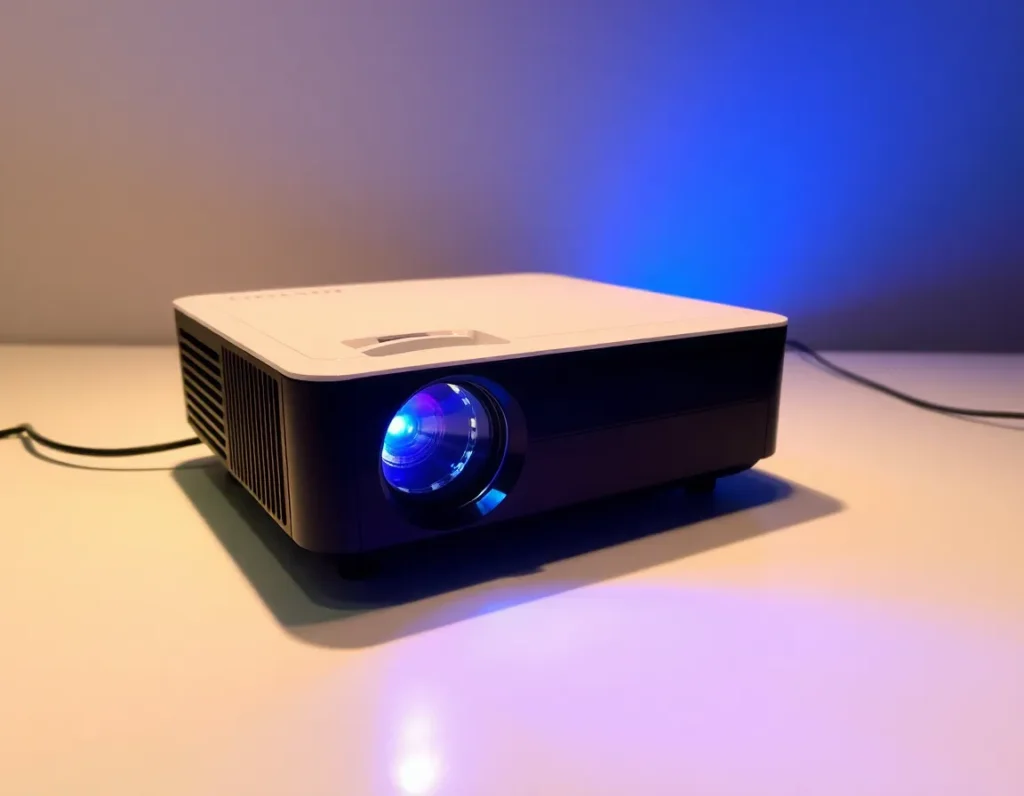
What is an LED Projector? Defining the Technology
At its core, an LED projector is a digital projection device that uses Light Emitting Diodes (LEDs) as its primary light source, as opposed to the traditional ultra-high-pressure mercury lamps found in older projectors. This fundamental difference in illumination technology cascades into nearly every aspect of the device’s performance and user experience. Unlike a single, powerful lamp, an LED projector typically utilizes an array of red, green, and blue (RGB) LEDs. These solid-state semiconductors emit colored light directly when an electric current passes through them. This light is then processed through a display chip—such as a DLP (Digital Light Processing) micromirror device or an LCD (Liquid Crystal Display) panel—which shapes the light into the pixels of your image before it is projected through a lens onto your screen or wall.
The solid-state nature of LEDs is the key differentiator. There is no fragile glass envelope, no high-pressure gases, and no filament to burn out catastrophically. This results in a cooler, more energy-efficient, and remarkably durable system. Furthermore, because the RGB LEDs can be controlled with high precision, they enable excellent color reproduction and instant on/off capability without the warm-up or cool-down periods required by traditional lamp-based models. From compact pico projectors that fit in your hand to high-lumen home theater models, the LED principle scales to create a diverse ecosystem of projection solutions tailored for different environments and purposes.
The Core Advantages: Why Choose an LED Projector Over Traditional Models
The shift from traditional lamp-based projection to LED technology is driven by a compelling set of advantages that address long-standing user pain points.
Exceptional Lamp Life and Reliability
This is the most frequently cited benefit. While a traditional projector lamp may last between 3,000 to 5,000 hours, an LED light source boasts a lifespan typically ranging from 20,000 to 30,000 hours, and often up to 60,000 hours or more. At 8 hours of use per day, that’s over 10 years of operation. This effectively makes the light source “lifetime” for most users, eliminating the recurring cost and hassle of lamp replacements, which can be a significant expense.
Superior Energy Efficiency and Cooler Operation
LEDs convert a much higher percentage of electrical energy into visible light, wasting less as heat. This means a projector led consumes less power for the same or better brightness compared to a lamp-based model. The reduced heat output allows for smaller, quieter cooling systems. You’ll notice most LED projectors are virtually silent during operation, a stark contrast to the often-distracting fan noise of traditional units, and they remain cool to the touch, enhancing safety, especially in homes with children or pets.
Instant On/Off and Consistent Performance
Forget the 30-second warm-up to full brightness and the mandatory cool-down period before unplugging. LED projectors reach peak brightness instantly when turned on and can be powered off immediately without risk of damaging the light source. Additionally, LED brightness degrades very gradually over its immense lifespan, whereas traditional lamps experience a more rapid and noticeable dimming, often losing a significant portion of their initial brightness well before they fail completely.
Enhanced Color Performance
The use of discrete red, green, and blue LEDs allows for a wider color gamut. This means an LED projector can often produce more vibrant, saturated, and accurate colors straight out of the box compared to a single-lamp system that relies on a color wheel to create its spectrum. The result is imagery that feels more lifelike and engaging, particularly for watching films and playing video games.
Compact and Portable Design
The small size and low heat output of LED arrays enable manufacturers to design incredibly compact projectors. This has given rise to the category of portable and pico projectors—devices small enough to fit in a backpack or even a coat pocket. This portability, combined with the ability to run on battery power in many models, unlocks truly mobile big-screen entertainment anywhere you go.
Understanding Key Specifications: Lumens, Resolution, Contrast, and Throw Distance
To choose the right projector, you must speak the language of specs. These four specifications form the cornerstone of understanding any projector’s capabilities.
ลูเมน (ความสว่าง)
Lumens measure the total amount of visible light emitted. For LED projectors, which are often used in darker environments, a range of 500 to 1500 ANSI lumens is common for portable and home models. For rooms with some ambient light (like living rooms with curtains drawn), aim for 1500-3000 lumens. Remember, manufacturers sometimes list “LED lumens” or “light source lumens,” which are not the standardized ANSI lumens. Always look for the ANSI lumen rating for a true comparison. A brighter projector isn’t always better; it must be matched to your screen size and ambient light conditions.
Resolution
Resolution defines the number of pixels that make up the image, determining its sharpness and detail. Common resolutions for LED projectors include:
- 854 x 480 (WVGA/FWVGA): Common in budget and pico projectors, suitable for casual video and presentations.
- 1280 x 720 (720p/HD): A good balance of price and quality for entry-level home entertainment.
- 1920 x 1080 (1080p/Full HD): The current sweet spot for home theater, offering excellent detail for movies and gaming.
- 3840 x 2160 (4K/UHD): Available in higher-end LED models, providing stunning, ultra-detailed imagery.
Native resolution is key; a projector displaying a 1080p signal on a 720p native chip is not a true 1080p image.
Contrast Ratio
Contrast ratio is the difference between the brightest white and the darkest black a projector can produce. A higher ratio means deeper blacks, more shadow detail, and a more three-dimensional, impactful image. Dynamic contrast ratios (which can be in the millions:1) are marketing figures that describe an automatic iris function. For a more reliable measure, look for the ANSI contrast ratio, though it is less commonly advertised. In a dark room, contrast is often more perceptually important than raw brightness.
Throw Distance and Ratio
This determines how far the projector needs to be from the screen to produce a certain image size. The throw ratio is calculated as (Throw Distance) / (Image Width). A standard throw ratio is around 1.5:1. A short-throw projector (ratio below 1.0:1) can produce a large image from just a few feet away, ideal for small rooms. An ultra-short-throw (UST) model can sit just inches from the wall to project a 100-inch image, eliminating shadows and simplifying setup. Your room size and desired screen size will dictate the throw type you need.
A Buyer’s Guide: How to Choose the Right LED Projector for Your Needs
With the specifications understood, the next step is aligning those specs with your specific use case. Here’s a breakdown by common scenarios.
For Home Theater and Movie Nights
Prioritize image quality. Look for a native 1080p or 4K resolution, a high contrast ratio (for those inky blacks), and good color accuracy. Brightness of 1500-2500 ANSI lumens is typically sufficient for a controlled lighting environment. Consider a model with multiple HDMI inputs, built-in streaming apps, and quality speakers, though for the best audio, a separate sound system is recommended. Short-throw or UST models are excellent for living rooms where you can’t place a projector in the middle of the space.
For Gaming
Gamers need speed and responsiveness. The critical spec here is input lag, measured in milliseconds (ms). Look for a projector with a “Game Mode” and an input lag of 30ms or lower for fast-paced console or PC gaming. High refresh rate support (120Hz) is a bonus for smoother motion. Resolution (1080p or 4K) and good HDR performance will enhance visual fidelity. Brightness is still important to maintain image pop, even with in-game dark scenes.
For Business and Presentations
Reliability and connectivity are paramount. Choose a projector with at least 2000-3000 ANSI lumens to combat office lighting. A native XGA (1024×768) or WXGA (1280×800) resolution is standard for sharp text and graphs. Portability, a long lamp life (which LED inherently provides), and versatile inputs (HDMI, VGA, USB for direct presentation) are key. Network connectivity for wireless screen mirroring from laptops and mobile devices is a highly useful feature in modern meeting spaces.
For Portable and Outdoor Use
This is where LED projectors truly shine. Focus on size, weight, and battery life. Look for a compact, rugged design with an integrated battery offering 2-4 hours of runtime. Built-in speakers and media players (able to read files from a USB stick or SD card) are essential for standalone operation outdoors. While brightness may be lower (500-1000 lumens), it’s sufficient after dusk. Auto-keystone correction is a lifesaver for quick setup on uneven surfaces.
Key Features to Consider
- Keystone Correction: Digital adjustment (vertical/horizontal) to square the image if the projector isn’t perfectly aligned with the screen. Optical correction is superior but less common.
- Zoom Lens: Optical zoom allows you to adjust image size without moving the projector, offering placement flexibility.
- Smart Features: Many LED projectors now run Android TV or similar, giving you built-in access to Netflix, YouTube, and other streaming services without an external device.
- Sound Quality: Don’t expect cinematic audio from small built-in speakers. Plan for a Bluetooth connection to a portable speaker or a full audio system for serious viewing.
By carefully weighing your primary use case against these specifications and features, you can select an LED projector that delivers a spectacular and satisfying big-screen experience tailored just for you.
Installation and Setup: Getting the Best Picture from Your LED Projector
You’ve chosen the perfect LED projector; now, unlocking its full potential hinges on proper installation and calibration. A thoughtful setup transforms a good image into a breathtaking one, maximizing the advantages of your projector led technology.
Choosing the Perfect Location
Start by deciding between a tabletop mount or a ceiling mount. Tabletop is the simplest, offering flexibility. For a permanent, clean home theater look, ceiling mounting is ideal, requiring a compatible mount kit. The critical measurement is “throw distance”—the space between the projector lens and the screen. Use your projector’s specified throw ratio (e.g., 1.2:1) to calculate the needed distance for your desired screen size. Most manufacturer websites offer handy calculators. Ensure the location has adequate ventilation, keeping intake and exhaust vents unobstructed to prevent overheating.
Screen, Surface, and Alignment
While a plain white wall can work, a dedicated projection screen significantly enhances contrast, color vibrancy, and sharpness. For ambient light rejection, consider a grey or ALR (Ambient Light Rejecting) screen. Position the projector so the lens is as perpendicular to the screen center as possible. Use the projector’s feet or lens shift (if available) for initial height adjustment. Then, engage the keystone correction. Remember: use digital keystone sparingly, as it crops and resizes the image digitally, potentially reducing resolution. Optimal setup uses physical positioning and optical adjustments first.
Dialing in the Image: Calibration Basics
Out-of-the-box settings are often overly bright and saturated for “showroom pop.” For a cinematic image, dive into the picture settings. Start by selecting the correct picture mode, such as “Movie” or “Cinema,” which typically provides a more accurate color temperature. Adjust brightness to reveal shadow detail without crushing blacks, and contrast to define highlights. Fine-tune color saturation and sharpness to taste—avoid excessive sharpness, which can introduce halos. If your projector offers color temperature controls, a setting around 6500K (D65) is the standard for film. For the most accurate results, consider using a calibration Blu-ray or streaming test patterns.
Integrating Audio and Sources
Connect your media sources—streaming sticks, game consoles, or Blu-ray players. For the best video quality, use HDMI cables that support the required bandwidth (e.g., HDMI 2.0 for 4K HDR). If your projector has built-in smart apps, ensure it’s connected to your Wi-Fi network. For audio, assess the built-in speakers. For immersive sound, connect to an external soundbar or AV receiver via the audio-out port, Bluetooth, or optical audio connection. Sync the audio carefully, as some projectors may have slight audio delay (lip-sync issues); most have an audio delay setting to correct this.
Maintenance, Care, and Troubleshooting Common LED Projector Issues
LED projectors are renowned for their low maintenance, but proper care ensures longevity and consistent performance. Understanding common issues empowers you to solve problems quickly and get back to your viewing experience.
Routine Maintenance and Cleaning
The lens is the eye of your projector. Keep it clean using a soft, dry microfiber cloth designed for optics. Gently brush away dust before wiping. Never use household cleaners or excessive pressure. The air filters, crucial for cooling, require regular attention. Check your manual, but typically, filters should be vacuumed gently every few months and replaced annually, depending on usage environment. Always turn off and unplug the projector before cleaning, and allow it to cool completely. Store the projector in a cool, dry place away from dust when not in use for extended periods.
Troubleshooting Common Problems
- No Power/No Image: Check that the power cable is securely connected at both ends. Ensure the power outlet is working. Try a different power cable if possible. Verify that the lens cap is removed.
- Blurry or Out-of-Focus Image: Use the projector’s focus ring manually. Ensure the projector is on a stable surface not subject to vibration. If part of the image is blurry, it may be a keystone issue; try resetting keystone to zero and physically repositioning the projector.
- Distorted Colors or Tint: First, check your video source and cable. A faulty HDMI cable is a common culprit. Within the projector menu, reset the picture settings to factory default. Ensure the picture mode isn’t set to an odd preset like “Vivid” or “Dynamic.”
- Overheating and Sudden Shutdown: This is almost always due to blocked ventilation. Immediately turn off the projector, unplug it, and check all vents and air filters for dust blockage. Allow it to cool fully in a well-ventilated area before restarting.
- No Sound from Built-in Speakers: Confirm the volume isn’t muted or set to zero. Check the audio output setting in the menu to ensure it’s set to “Internal Speaker” and not an external output. Test with a different source to isolate the problem.
- Fan is Excessively Noisy: Some fan noise is normal, especially in high-brightness modes. A sudden increase in noise usually indicates dust in the fan or heatsink, requiring careful internal cleaning or professional service.
When to Seek Professional Service
While many issues are user-solvable, certain problems warrant professional attention. These include persistent flickering that isn’t source-related, a series of stuck or dead pixels on the DLP chip or LCD panel, any signs of liquid damage or physical impact, and persistent error messages that won’t clear. Attempting to disassemble the projector yourself can void the warranty and risk causing further damage.
The Future of Projection: Trends and Innovations in LED Technology
The evolution of the LED projector is far from static. Driven by advancements in solid-state lighting, miniaturization, and connectivity, the next generation promises to further blur the line between portable convenience and premium home theater performance.
Brighter and More Efficient LEDs
The primary frontier is luminance. Researchers and manufacturers are continuously developing LED chips that produce more lumens per watt. This means future portable projectors will achieve brightness levels (2000+ ANSI lumens) that are truly competitive with traditional lamp-based models, without sacrificing the legendary lifespan or compact form factor. Advancements in phosphor technology and laser-hybrid LED systems (sometimes called LED-laser or HLDTM) are pushing color brightness and overall light output to new heights, making high-quality viewing in sunlit rooms a tangible reality.
Advanced Color and HDR Performance
Color reproduction is undergoing a revolution. The use of multi-primary color wheels (beyond RGB) and advanced dynamic color management systems allows for wider color gamuts, approaching or exceeding the DCI-P3 standard used in digital cinemas. Coupled with improved dynamic contrast ratios and true HDR10/HLG processing, future LED projectors will deliver breathtaking depth, detail in shadows and highlights, and a color palette that rivals the best flat-panel displays.
Smart Integration and Form Factor Evolution
The “smart” in smart projector is getting smarter. Expect deeper integration with smart home ecosystems (Google Home, Amazon Alexa, Apple HomeKit), allowing voice control for power, source selection, and playback. Form factors will continue to diversify: ultra-short-throw (UST) LED projectors, which can cast a 100-inch image from just inches away, will become more common and affordable. We’ll also see further miniaturization into pocket-sized “pico” projectors with HD+ resolution, truly making a big screen available anywhere.
Sustainability and Longevity
The inherent efficiency of LED technology is a green advantage. The future emphasizes this further, with manufacturers focusing on reducing power consumption in standby modes, using more recyclable materials in construction, and extending the already long lifespan of the light source. The elimination of mercury-containing lamps and the reduction of electronic waste due to longer product lifecycles position the LED projector as an increasingly sustainable choice for entertainment and professional use.
Summary of Key Points
LED projectors represent a transformative shift in projection technology, offering a compelling blend of longevity, efficiency, and versatility. They utilize light-emitting diodes (LEDs) as their light source, which provides an exceptional operational life of 20,000 to 30,000 hours, effectively eliminating the cost and hassle of bulb replacements. This core technology enables compact, portable designs that run cooler and quieter than traditional lamp-based models.
The advantages are clear: instant on/off capability, consistent color performance over the entire lifespan, and generally lower total cost of ownership. When choosing a model, key specifications like ANSI lumens (brightness), native resolution (clarity), contrast ratio (image depth), and throw distance (placement flexibility) must be balanced against your primary use case—be it mobile business presentations, backyard movie nights, or a dedicated home cinema.
Proper setup, including optimal placement, screen choice, and basic image calibration, is crucial for extracting the best performance. While maintenance is minimal, regular cleaning of lenses and filters ensures longevity. The future of this technology is bright, with trends pointing toward significantly higher brightness, superior color and HDR performance, smarter connectivity, and innovative form factors like ultra-short-throw designs, solidifying the LED projector’s role as the versatile and reliable heart of modern big-screen experiences.
คำถามที่พบบ่อย (FAQ)
How long does an LED projector really last?
The LED light source itself typically lasts 20,000 to 30,000 hours. This is not the same as the projector’s overall lifespan, but it is the component that traditionally fails first in other projector types. At 8 hours of use per day, an LED light source can last over 10 years. The projector’s electronics or other components may fail before the LEDs dim significantly.
Can I use an LED projector with lights on or during the day?
This depends entirely on the projector’s brightness (lumens) and your ambient light control. Lower-lumen portable models (under 500 ANSI lumens) require near-total darkness. For use in a room with some ambient light, look for models with 1000+ ANSI lumens. For a living room with windows, 1500+ ANSI lumens and an ambient light rejecting (ALR) screen are recommended for a watchable image.
Are LED projectors good for gaming?
Yes, many are excellent for gaming, but check for key specs. Look for a low input lag (under 30ms is ideal for fast-paced games), which is often found in a dedicated “Game Mode” in the settings. High refresh rate support (60Hz, 120Hz) is also beneficial. The instant-on nature and lack of a cooling-off period are added conveniences for gamers.
What’s the difference between LED and Laser projectors?
Both are solid-state light sources. Traditional LED projectors use clusters of red, green, and blue LEDs. Laser projectors use laser diodes, often blue lasers with a phosphor wheel, to create light. Laser models generally achieve much higher peak brightness (3000+ lumens) and can have even longer lifespans (up to 30,000 hours), but they are typically larger and more expensive. “LED-Laser” hybrids combine both technologies for balanced performance.
Do I need a special screen for an LED projector?
While not strictly necessary, a proper projection screen will always yield a better image than a wall. A basic white matte screen is a great starting point. For challenging environments with ambient light, a grey or ALR screen is a worthwhile investment to improve contrast and black levels. For ultra-short-throw LED projectors, you must use a compatible UST screen to avoid image distortion.
Why is my LED projector fan so loud?
All projectors require active cooling. The fan speed often scales with brightness setting and internal temperature. In “Eco” or low-power mode, the fan is usually quieter. A sudden increase in fan noise is a common indicator that the air filters are clogged with dust, restricting airflow and causing the projector to overheat. Regular filter maintenance is essential.